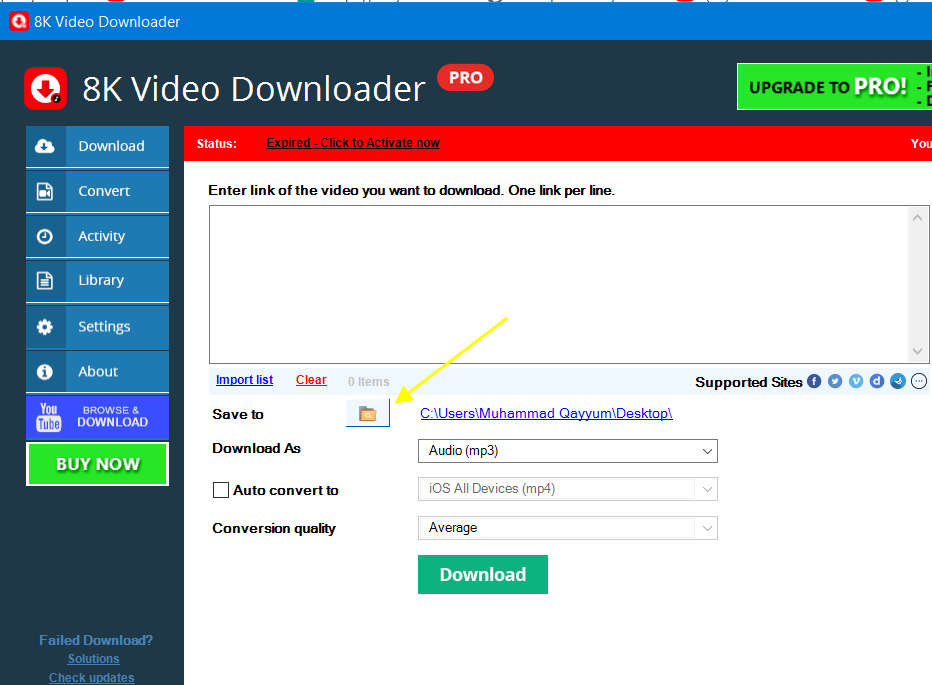
To change the default save to directory in 8K Video Downloader, on the main page click yellow folder icon button as shown below.
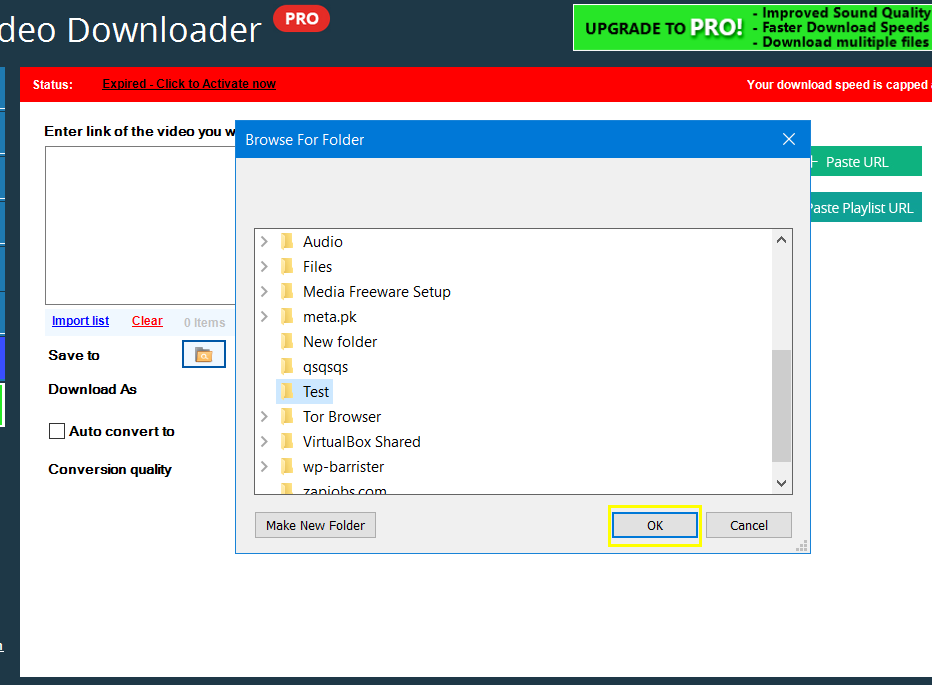
Select the output folder you want and click ok button.
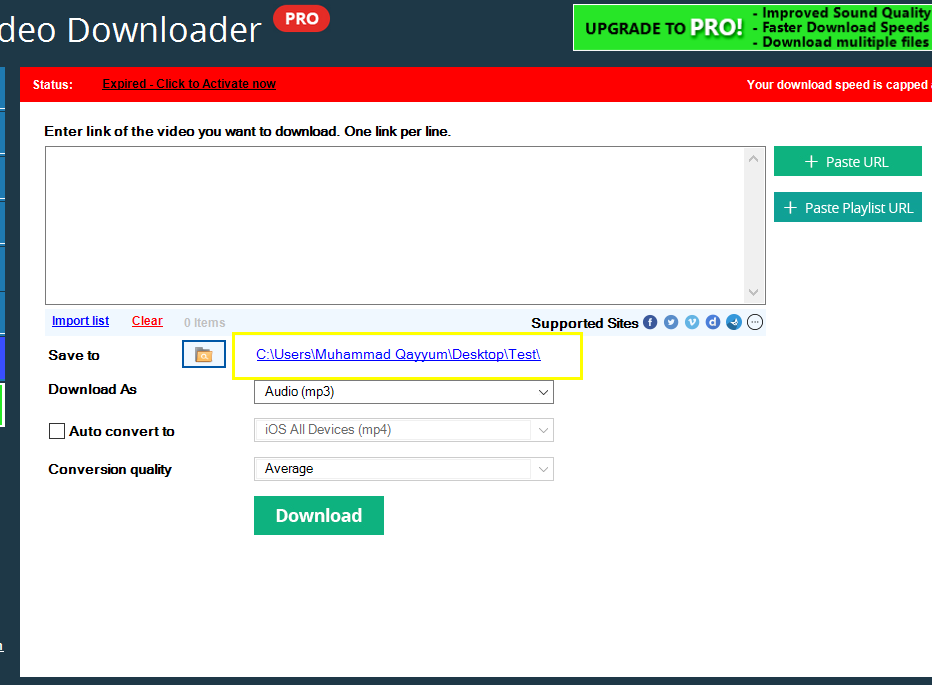
See the output folder is now changed.
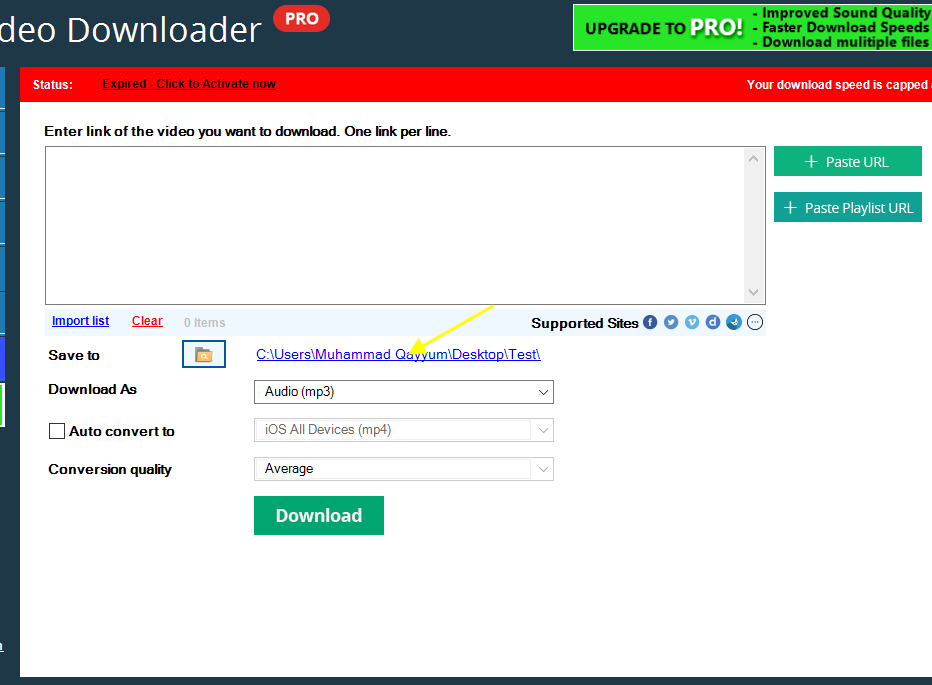
Tip: you can click blue link to browse the save to folder and see files.